Showing posts with label lessons. Show all posts

Thursday, February 19, 2009

Photo Talk - lesson 4 - Lighting, part 2

Sidelighting is really nice on portraits because it adds depth and drama to the image. It helps give the appearance of 3D on a flat surface.

When you're using natural light, you need to consider your surroundings. Think of light as a living thing that moves in different ways depending on where it is. We all know that we should wear white shirts in summer because white reflects the heat and black absorbs it, right? Well, heat comes from light and the same rule applies. White reflects, black absorbs. This will affect what's happening to your image! It's especially important with sidelight and backlight.

In this picture, you see the main light source is coming from the left. But that's not where the sun was. She was standing in an alley that appeared to be shaded. The sun was off to our right. There was a building directly behind her and directly behind me. Off to the left is the street and across the street is a tall building with a very reflective surface. The sun was hitting that surface and bouncing back to us, making the main light source come from the left instead of the right.
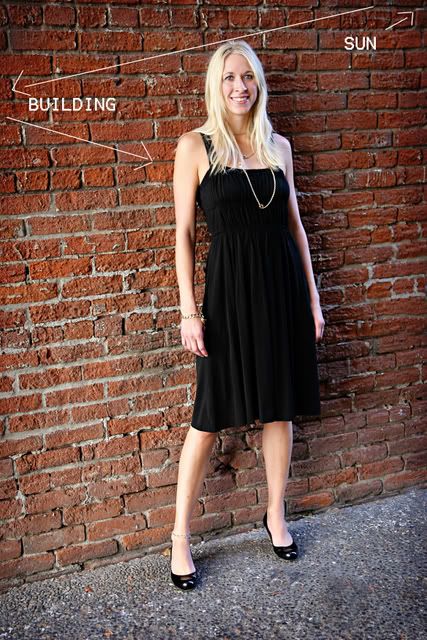


With sidelight, you want to expose for the brightest part of the image. If you expose for the dark side, then the brighter side will be totally blown (meaning very white, little detail...overexposed).

To do this with a point and shoot or on auto with a SLR, you need to point the camera at the bright part of the picture, then hold the button down halfway. This will lock the exposure. Do not release the button, move to wherever you're shooting from and push the button the rest of the way to shoot.

If you're shooting in manual on a SLR, you don't have to hold the button down. Point the camera at the brighter part of the image to set your exposure (line up the exposure bar by adjusting ISO, Shutter speed and f-stop) then back up, don't change the exposure and shoot. If you don't know how to shoot in manual, don't worry about it yet. I'll get there.

Now consider your location. I did these with a window to the right and a reflective surface to the left. I changed the reflective surface with each shot so you can see the difference.

First, this is with no reflective surface to the left. Only the wall, which is too far away to be useful at all in bouncing natural light.


Now a white surface to the left.


This is black.


Silver. On portraits this will give a slightly cool, but bright reflection.


and Gold. This is very reflective and gives a warm cast to the portrait.


A couple other sidelight examples. The first one is using a video light held up and to the right.
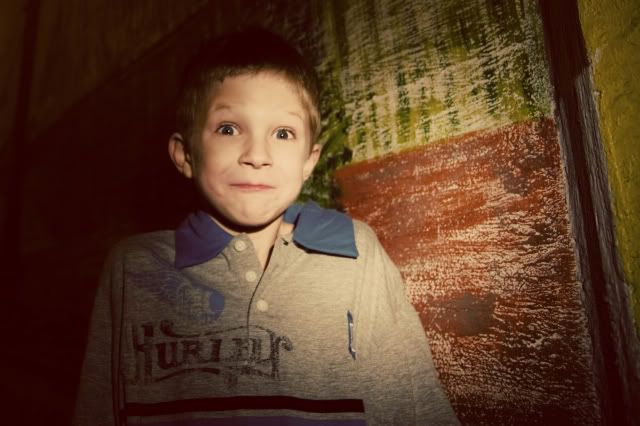

And this is a streetlight shining off on the left.


Go play! Have fun! And remember to post a link to your pictures!

Thursday, February 12, 2009

Photo Talk - lesson 4 - Lighting, part 1

Sorry about being a slacker for the last year or so. I had a baby. That's my excuse. lol.

I've also been debating where to go with these lessons because I'm trying to keep them on a level that both SLR users and point and shoot users can put them into practice.

Anyway...I've been thinking about lighting lately and how it is one of those things that can make or break a picture. It's also something that anybody can work with, regardless of your camera.

Let's work with natural light for this lesson. I'm pretty sure everybody (except maybe Kandace up there in Barrows) has access to the sun.

So...step 1. TURN OFF YOUR FLASH.

Thank you.

Now, we're going to discuss 3 basic lighting situations and things that affect them.

Frontlighting, sidelighting and backlighting. For demonstration purposes, I got the crappiest camera in my house to do these pictures...it's Nathan's cheapo point and shoot with ZERO features. This is to prove that anybody can do this with any camera.

Frontlight


Sidelight


Backlight


We're going to do these 1 at a time. We'll start with frontlight. It's pretty straightforward. The light is in front of the subject. If you were outside on a bright day, this sort of lighting would make the subject very squinty. However, if you're inside with a window it's not so bad. North facing windows are the best light, followed by South. I put plastic over my window to diffuse or soften the light coming in.

So go find a subject. Turn off your flash and turn off all the lights in the room. Face them towards a window, sit with your back towards the same window and shoot.

Ta-da! Frontlight.


Isn't it pretty?

Now go try it! I'll post sidelighting in the next few days, followed by backlighting. If you try it, comment and leave a link to your blog or wherever you put it online so I can see it!

Wednesday, June 25, 2008

Photo Talk - Lesson 3 - ISO

Alrighty...we're back! Now that we've covered the basics of composition, we're getting into the mechanics. I'm a firm believer that until you can shoot comfortably in fully manual mode, you're not a true photographer. You must know how your camera works and be able to manipulate the settings for the light that you're in.

Don't worry, we'll be going really slow for a while.

ISO denotes "film" speed. Remember when you bought film way back in the old days? They had numbers on them. 100, 200, 400, and 800 were the standards for the average picture taker. 25, 50, 1600 and 3200 were (are) also available if you knew where go.

Now stay with me, this is good to know. Film is coated in grains of silver. The silver absorbs the light entering the camera, which creates the image. (This has been replaced with a digital plate in digital cameras.) Film with a low ISO (25, 50, 100) has super fine grain and it is slower to absorb, so it needs more light. That's why those film boxes would say to only use ISO 100 in bright sunlight. The upside is the picture turns out very clear and crisp even when enlarged.

Most point and shoot cameras have a low ISO setting as the auto setting.

Film with a high ISO (800, 1600) has large, course grain and absorbs the light faster so it's great for low light situations like night time or times when you don't want to use a flash (like concerts or recitals). However, your image will have "grain" or "noise" (the digital word). It won't have that super clear, crisp look of a low ISO. You have to decide if the trade off is worth it.

Okay. Go get your manuals and see if you can change your ISO on your camera. If you can I want you to practice shooting with it low and high in different lighting situations.

If you have a "P" function on your camera (many have P, Av or A, Tv or S, and M as settings). So if you have a P, set your camera there. Then change your ISO, then shoot. The camera will set the other important settings (shutter speed and f/stop) for you as long as it's in P. But you will be able to change your ISO.

Remember low ISO needs lots of light and will be clear. High ISO requires less light and will be grainy.

A couple examples.

Low ISO...bright sunshine, nice and clear.


High ISO...the only source of light in this picture was the fireworks off in the distance. The grain isn't bad because the good digital SLR's tend to have very little noise/grain even in the higher ISO.


Here's another because I want you to see a more realistic grain. This was in the old days. It was taken with 3200 ISO film. No flash, on a football field at night.


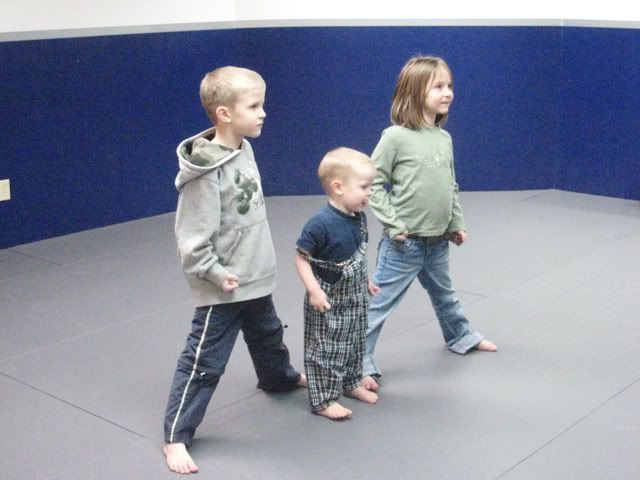
Now for what digital grain on a point and shoot is likely to look like. 1600, no flash in a karate studio.


Remember to ask questions! And add your link below!

Wednesday, April 30, 2008

Photo talk - Lesson 2 - More on composition - "faces, lines and crops"

First off, I'm so excited that people are doing these! It's really fun to see what you do with your photos, so thank you for playing and sharing your work with me! I'm going to ask Dave to put a link over on the side so these lessons can be archived and easy to find.

This week we're sticking with composition so you can keep practicing the rule of the thirds while you think about these other things.

Faces. When shooting portraits and using the rule of thirds, you want your subject "moving into the frame." Especially if they are walking or looking away from the camera. Basically, this just means, you want the person to be facing the empty space in the portrait, not facing the edge of the portrait. A good way to visualize this is to imagine yourself in a box. If you were to stand in a box, you would automatically position yourself with your back to one side of the box and most of the empty space in front of you. In pictures, it often makes the viewer uncomfortable to see the subject facing the edge of the picture, or walking right out of it with all the empty space behind them. The other problem is the viewer of the image will follow the gaze or movement of the subject. If they're right on the edge of the photo, there is nowhere for the viewers eyes to go but off the picture, and you don't want that! You want to keep them looking at the picture! Here are some examples.

See how the movement is going towards the right of the image? And she's facing that way, but she's on the left? So your eye starts at Aria and follows the movement into the picture, then goes back to Aria. Make sense?


This one is more posed, but you can see how your eye stays inside the image because they're both facing in. Can you see how if I would have turned either one of them around to face the edge, your eye would follow them right out of the image?


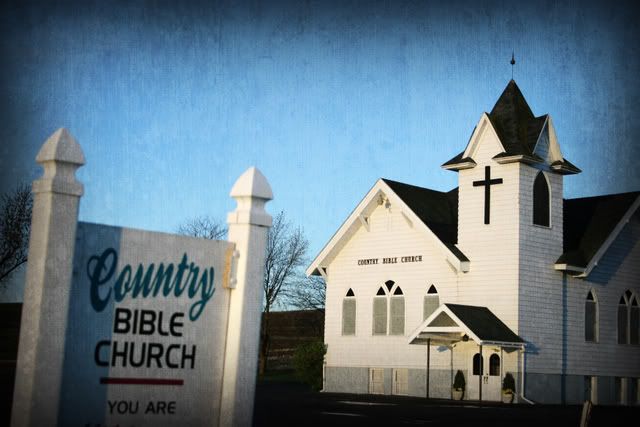
A non-portrait example. This picture has 2 focal points, the front of the church with the door and cross where the light is falling and then the sign. If I had photographed the church by itself, it could stand alone if I kept it in the same general space, but had I moved the camera so that the door and cross were along the left side of the image and the whole right side was just the plain side of the church, it would lose a lot of it's impact.


I hope this is all making sense. Remember, rules can be broken, but it's best to learn to use the rule first, before you start experimenting with creating a good image while breaking the rules. (it can be done, but often it's because you're allowing a different rule to take precedence over the rule you're breaking. Like maybe the lighting...) Anyway, I'm getting ahead of myself.

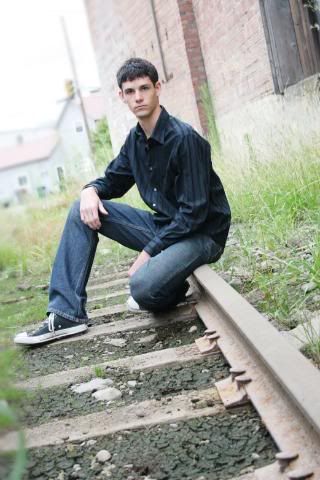
Lines. Lines can be tricky in images because the viewers eye follows the line. If the line leads out of the image, you just lost your viewer. If the line leads to a focal point, you've created a good image.

Here the line of the railroad track leads right to the main subject.


Because of the angle I chose on this one, the lines of the logs lead to the end of the log where your eye stops. Had I taken this picture with the logs going completely from one side of the image to the other, your eyes would follow the line right out of the image. Make sense?


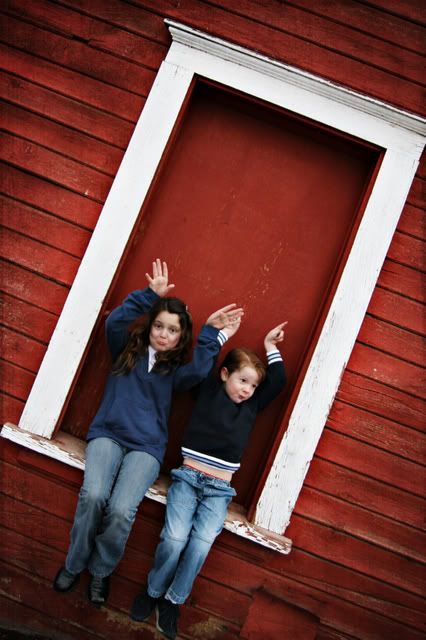
Lines can also be used for framing. It's a bit different, but if you have a framing opportunity, use it! It keeps the eye right on the subject when you've framed them properly.

A couple framing examples.


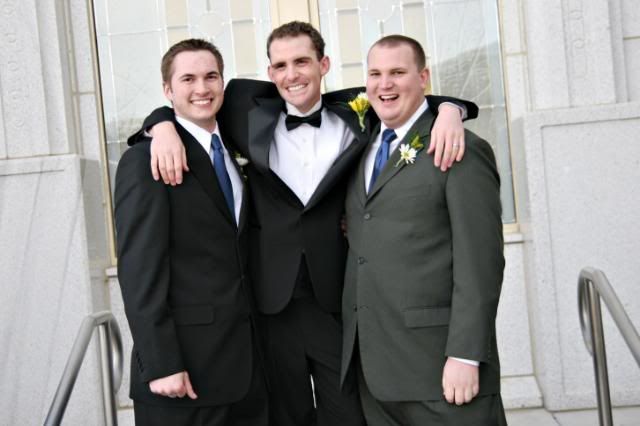
Crop. Cropping is fairly simple. When you're doing a portrait that isn't a full length portrait you want to crop the person off in places that don't make the viewer uncomfortable. Basically, you want to avoid the joints. Cropping off just somebodies hands right at the wrist doesn't look that good. Same with feet at the ankles. Go for the forearm, calves, thighs or waist.

Mid-thigh crop example.


Don't be afraid to get in close. In fact, change your fear...be afraid to be back too far. When you're taking pictures of your kids, what do you want to see? Their face! Their eyes! Their expression! Get in there, people. Eliminate all that dead space in your images that's surrounding the thing you really want to see.

Getting in close.


Alright...let's see those images! Feel free to ask questions in the comments!

Wednesday, April 23, 2008

Photo Talk - Lesson 1 "The Rule of Thirds"

I've been tossing around the idea of putting basic photography lessons on my blog for a while now and since I'm just hanging around waiting for baby to show up, it seemed like a good time to start. So here we go.

Once a week (or so) I will post a lesson. You will then get your camera and use what you learn to take pictures and you will post them on your own blog. I'll have a link wizard at the bottom of the lesson where you can put the link to your post and we can all go look at the pictures you've taken and leave comments.

Ready?

First, just a quick sidenote. There are 2 types of cameras that most of you will be using. Point and shoot or SLR. Some of these lessons will be much easier for an SLR user to understand and execute, (point and shooters can still do them, it just takes a little more manual reading to find the functions on your camera) but no matter your camera, if you become comfortable with the basics of photography, you will be amazed at the improvement in your images!

For the visual people, this is an SLR. It stands for Single Lens Reflex.


This is a point and shoot.


Lesson 1 is about the rule of thirds. The beauty of this lesson is it's all about composition, so it doesn't matter what kind of camera you have. Just remembering this one small rule when you're taking pictures will greatly improve your images!

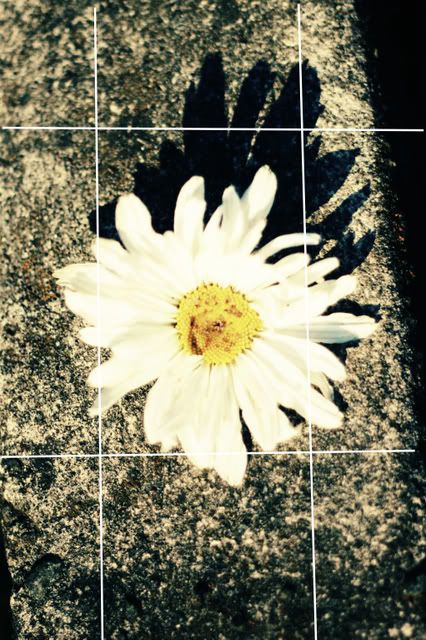
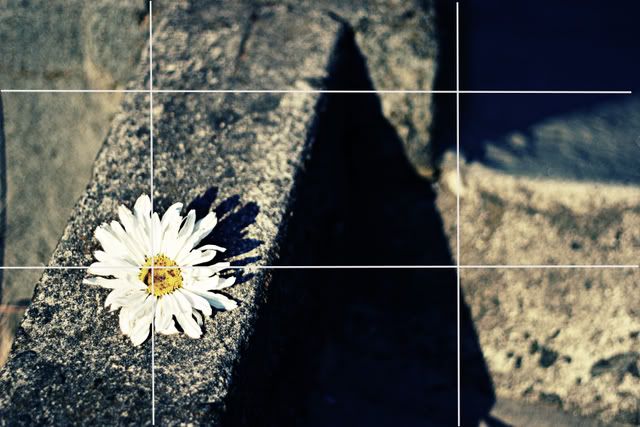
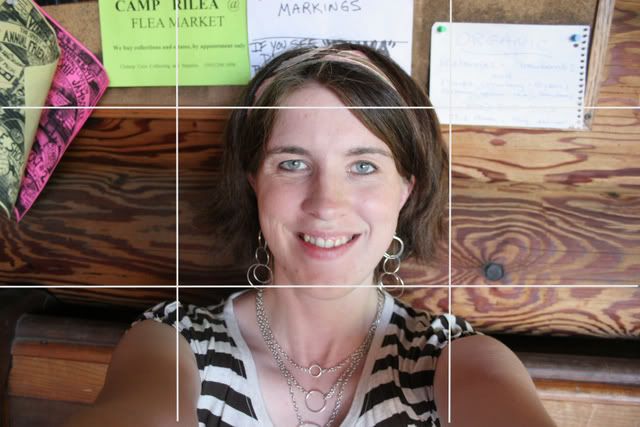
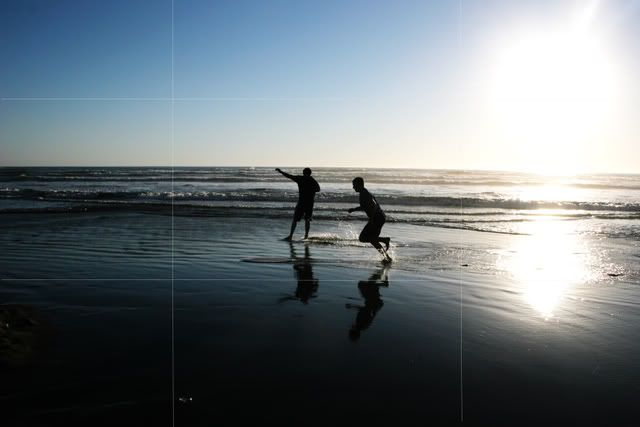
What you do is imagine a tic-tac-toe grid on your image. You want the main subject to be at the crosspoints of the lines. NOT IN THE CENTER. If it's a close-up portrait, the eyes are the main subject. If it's a horizon style landscape, then you want the horizon to be on the upper or lower line. Again...not in the center.

Here are some examples. Feel free to ask questions in the comments and please try this out and leave a link so we can all see what you've done!

BAD


GOOD


BAD


GOOD


BAD


GOOD


BAD


GOOD


OK...click here and add the link to your pictures! Can't wait to see! And if you need a little guilt, just think about how you'll be entertaining a very bored, very pregnant person.

Just a little clarification...if you click the Mister Linky thing, then a new window will pop up and anyone who has added their name and blog address will show up. You can then click their names to see what they posted. Make sense?